Why we created Super Core: See and Say
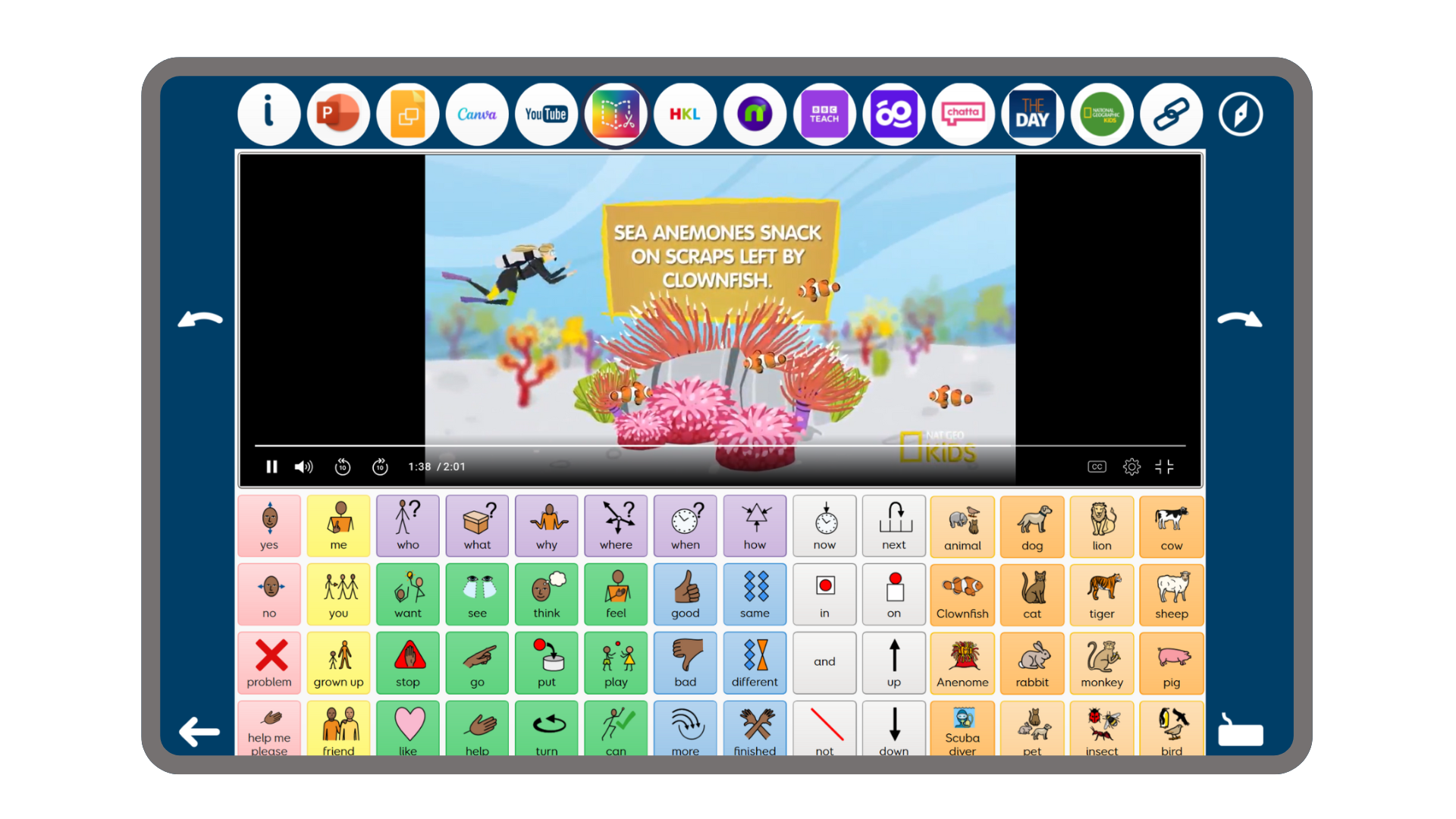
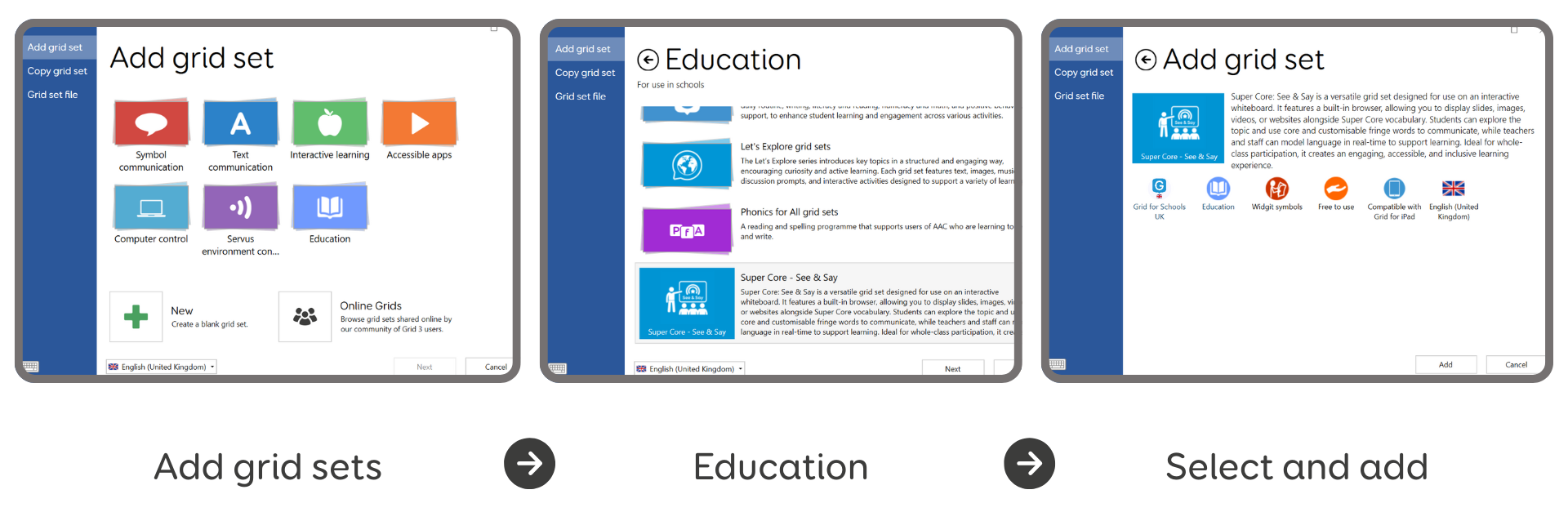
In this blog, Kim, our Product Manager for Education, explores her inspiration in creating Super Core: See and Say. We also share a mini case study, where Samantha and Becky from Mesa Public School’s Assistive Technology department highlight how they use Grid in the classroom. Super Core: See and Say, our latest addition to Grid for Schools, combines a web browser with Super Core vocabulary. The grid set makes it simple to use all of your favorite online resources while still offering essential words for communication to your students. With endless possibilities for interactive lessons, Super Core: See and Say gives educators the opportunity to easily engage students in their existing curriculum. This grid set can be added by going to: Add grid sets > Education > Super Core: See and Say Any grid user can access this new grid set, specially designed with classroom use in mind. The best ideas come from the classroom. We’re continually inspired by the creativity and insight of educators, the people who are using AAC every day to make communication possible for their students. Super Core: See and Say was created in response to one of those moments of inspiration. It was sparked by the brilliant work of Mesa Public Schools, where Samantha and Becky, the districts Assistive Technology Specialists, had developed their own interactive whiteboard approach using core and fringe vocabulary to support inclusive classroom communication. We saw the impact of that setup, bringing language into shared learning experiences and knew it was something worth building on. So, we created Super Core See and Say: an official grid set designed to make inclusive practice even easier to access, adapt, and use across a whole school. See and Say is designed specifically for interactive whiteboards. The built-in browser that runs above the Super Core grid allows you to show images, PowerPoint slides, videos or websites while students use core and customisable fringe vocabulary in real time. It’s a bit like having a communication board built into your lesson. You can model language naturally as you go, while students explore the topic and take part in shared communication. Because you can personalise the fringe vocabulary, Super Core: See and Say easily becomes part of your curriculum. Whether you’re discussing a class book, talking through a science experiment, or exploring a new topic in geography or history, the language is right there, ready to support every learner. As a district, we could see that our preschool and self-contained special education teachers needed support. They needed a way to more seamlessly incorporate visual support and picture-based language into their daily routines, class activities, and instruction. The web browser feature in Grid 3 allowed us to provide that support. Not only did our students need visual support to increase comprehension, but AAC users also needed their mode of communication to be embedded into their environment. We made paper-based material available to teachers in the form of core boards, descriptive labels, and visual schedules, but we needed more. The web browser feature in Grid 3 was the solution we were looking for. It provided teachers a way to model picture-based communication seamlessly throughout their day. We like to say that it smooths the path. It makes the job of multi-modal teaching and modeling for AAC users reasonable for busy teachers with big jobs. The teachers in our district who use it love it. They feel that it benefits not only the students who use AAC, but all students as it provides consistent interactive visual support. Best of all, they can access the digital curricula or resources they were already using. That part didn’t change. The only difference is that now they access those resources within Grid 3. Becky Woolley, C-SLPA, ATP, and Assistive Technology Facilitator at Mesa Public Schools, has been a member of the AT department for 3 years. Prior to joining the AT department, Becky worked as an SLPA in public school settings for approximately 10 years. Becky is currently a member of the Arizona Speech-Language Hearing Associations AAC committee. Samantha Hagness, M.S., CCC-SLP, and Assistive Technology Specialist at Mesa Public Schools has been a member of the AT department for 2 years. Prior to joining the AT Department, Samantha worked as an SLP in public schools for approximately 10 years. Samantha is an active member of Arizona’s Speech-Language-Hearing Association and is currently serving as a member of the community relations and AAC committee. Grid for Schools is a versatile education package that brings together everything you need to use AAC software in your school. The package includes 10+ licenses of Grid for iPad or Grid 3 at a discounted rate with tailored training, resources and support for educators.

What is Super Core: See and Say?
Why was Super Core: See and Say created?
How Mesa Public Schools uses Grid


