Monarch Reader is now available in Grid 3
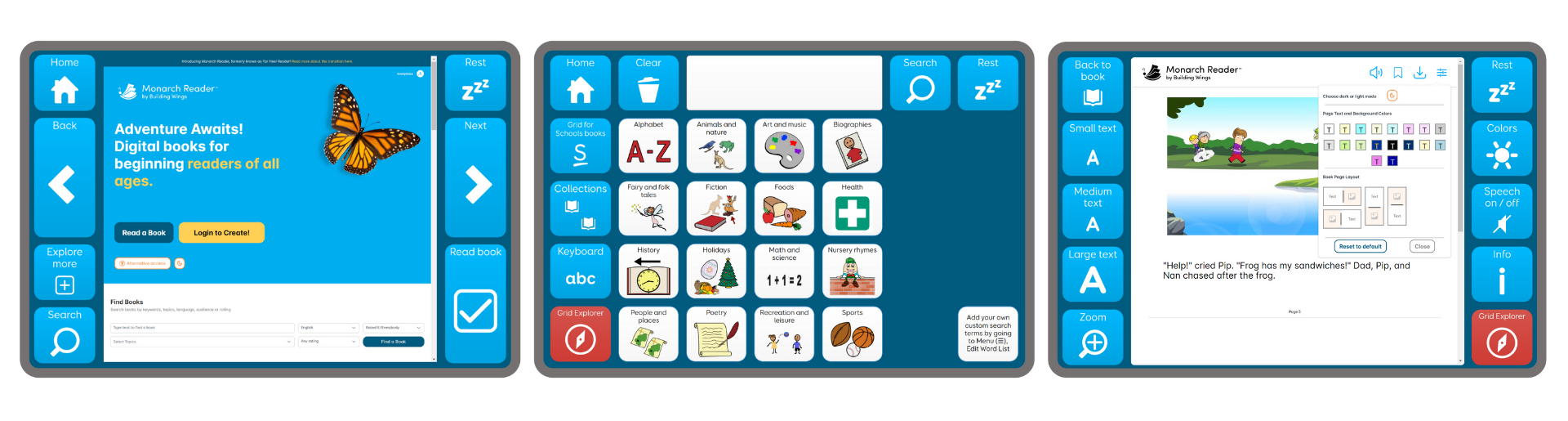
We are excited to announce our partnership with Building Wings on a new accessible app: Monarch Reader. Monarch Reader is now available within Grid 3 for Windows, giving users access to a library of books with eye gaze, switch, pointer, and touch access. Continuing the legacy of Tar Heel Reader, Monarch Reader offers a vast digital library with adapted books for learners of all ages. Thousands of books are already created, and new books can be created on the Monarch Reader website, then accessed within the app. 1. Make sure you have updated to the latest version of Grid 3 – find out how to update Grid here. 2. Go to Menu – Add grid sets – Education – Grid for Schools grid sets – Monarch Reader You can create a new book by visiting the Monarch Reader website and signing up for a free account. Once your account is made, you can create and post books which makes them searchable for Grid 3 users. Grid for Schools is a versatile education package that brings together everything you need to use Grid software in your school. Designed to enhance the learning experience for all students, Grid for Schools aids in communication and active participation in the classroom. With tailored training and specialised resources, Grid for Schools supports educators in immersing students in the curriculum in new and exciting ways. Download a free 60-day trial of Grid 3 for Windows below. Our favourite Monarch Reader features
How to get started
How can I create a new book to read on the Monarch Reader app?
Empower every voice in the classroom
Don’t have a copy of Grid?