Speed up conversations with just one click
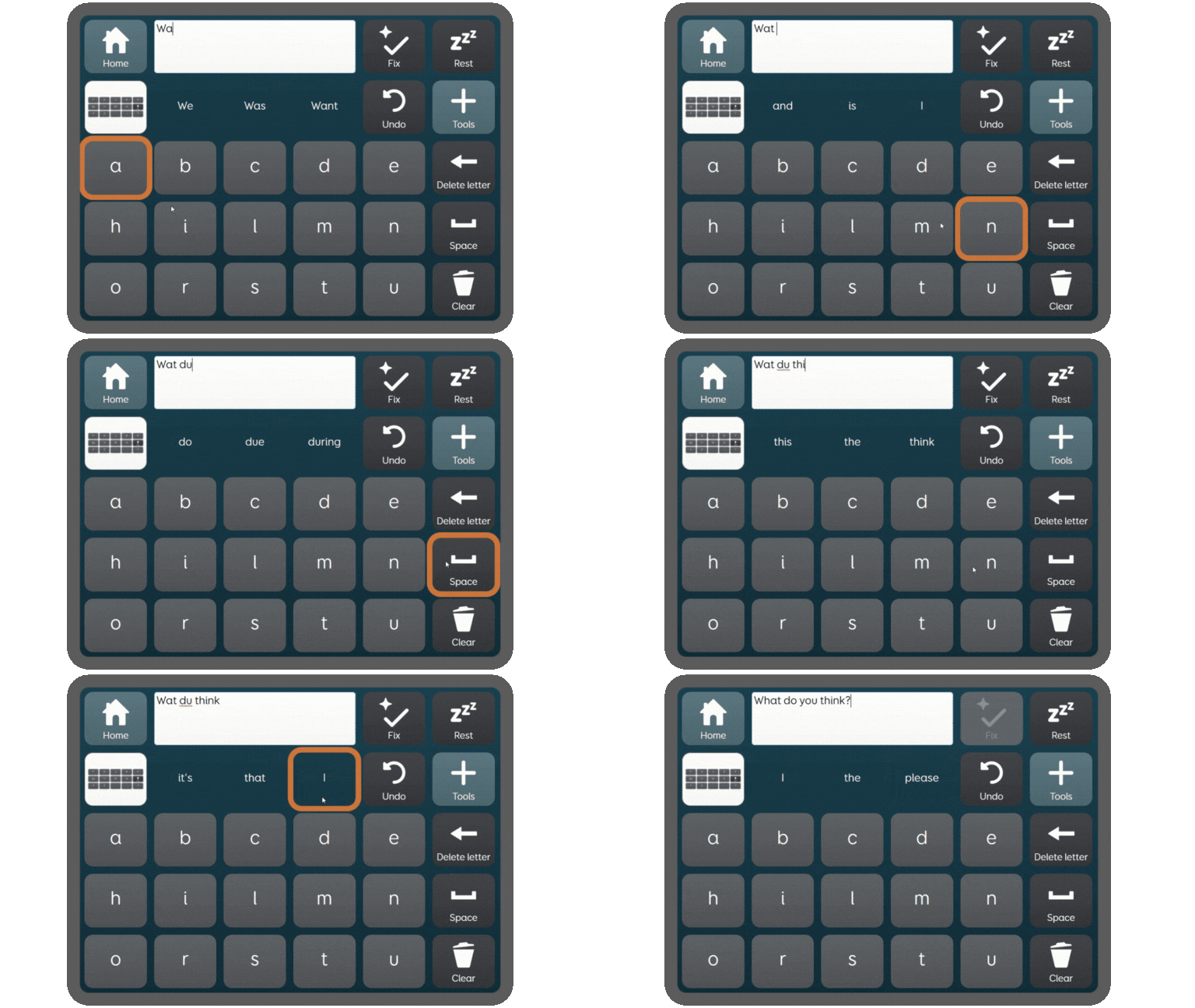
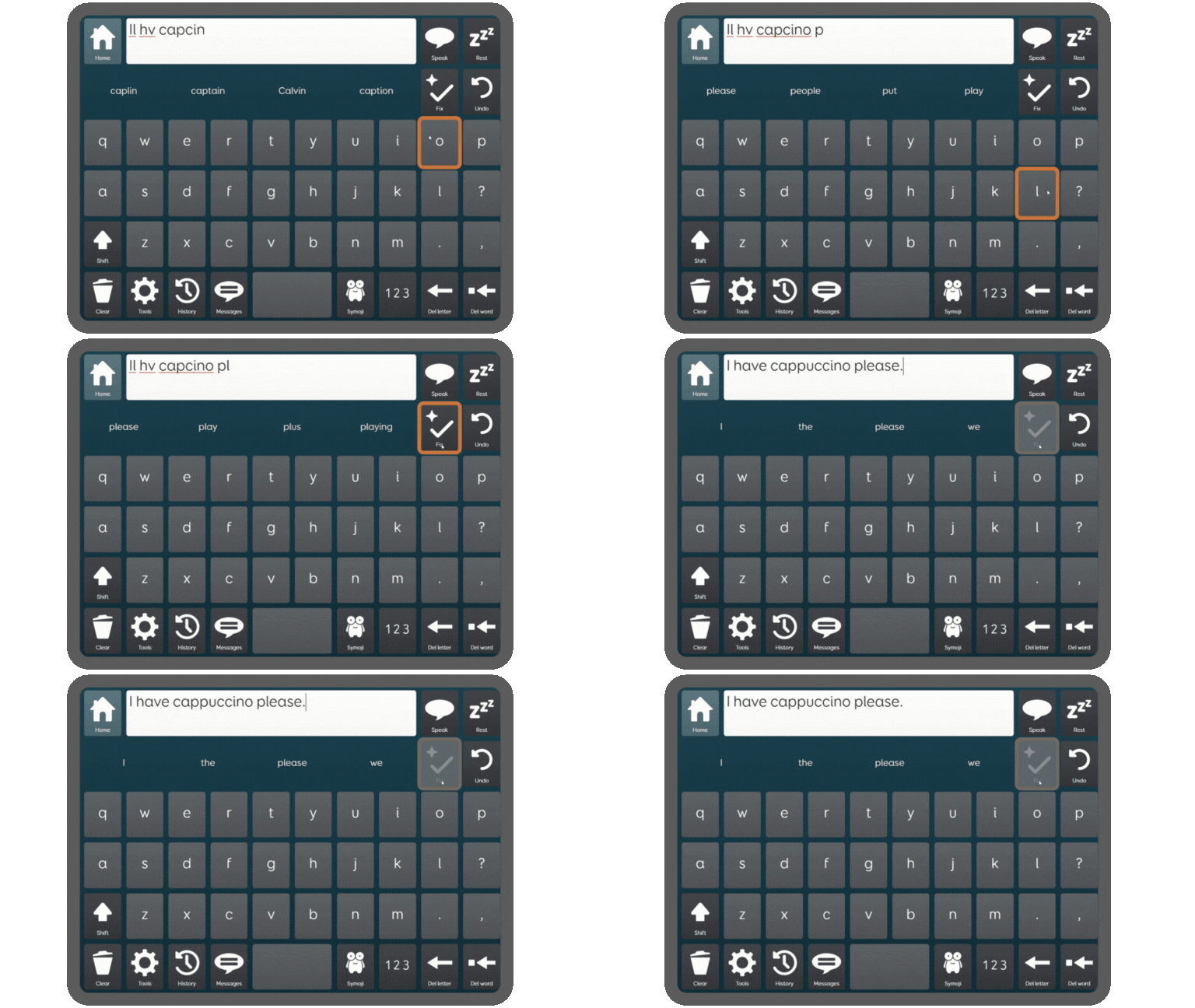
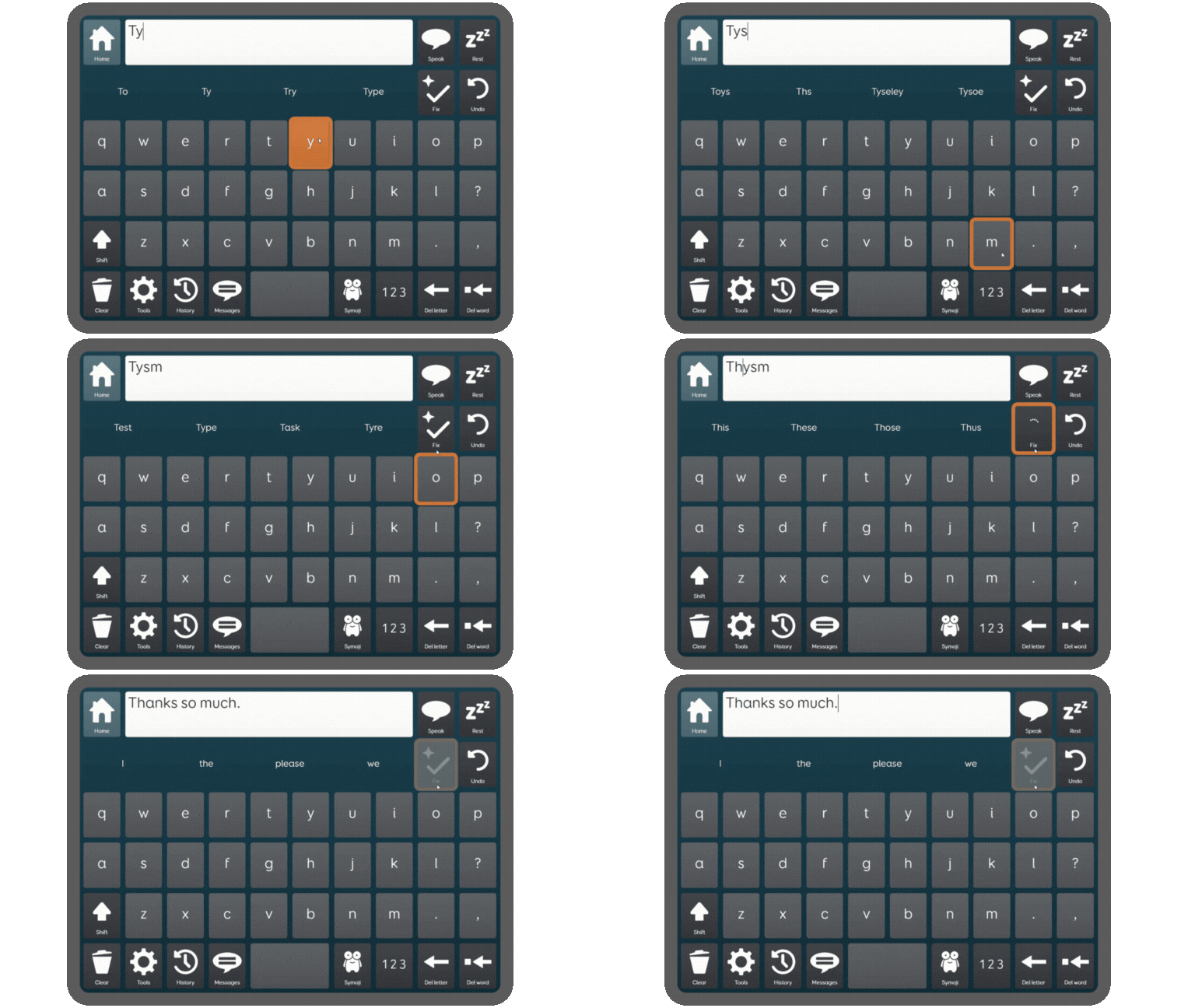
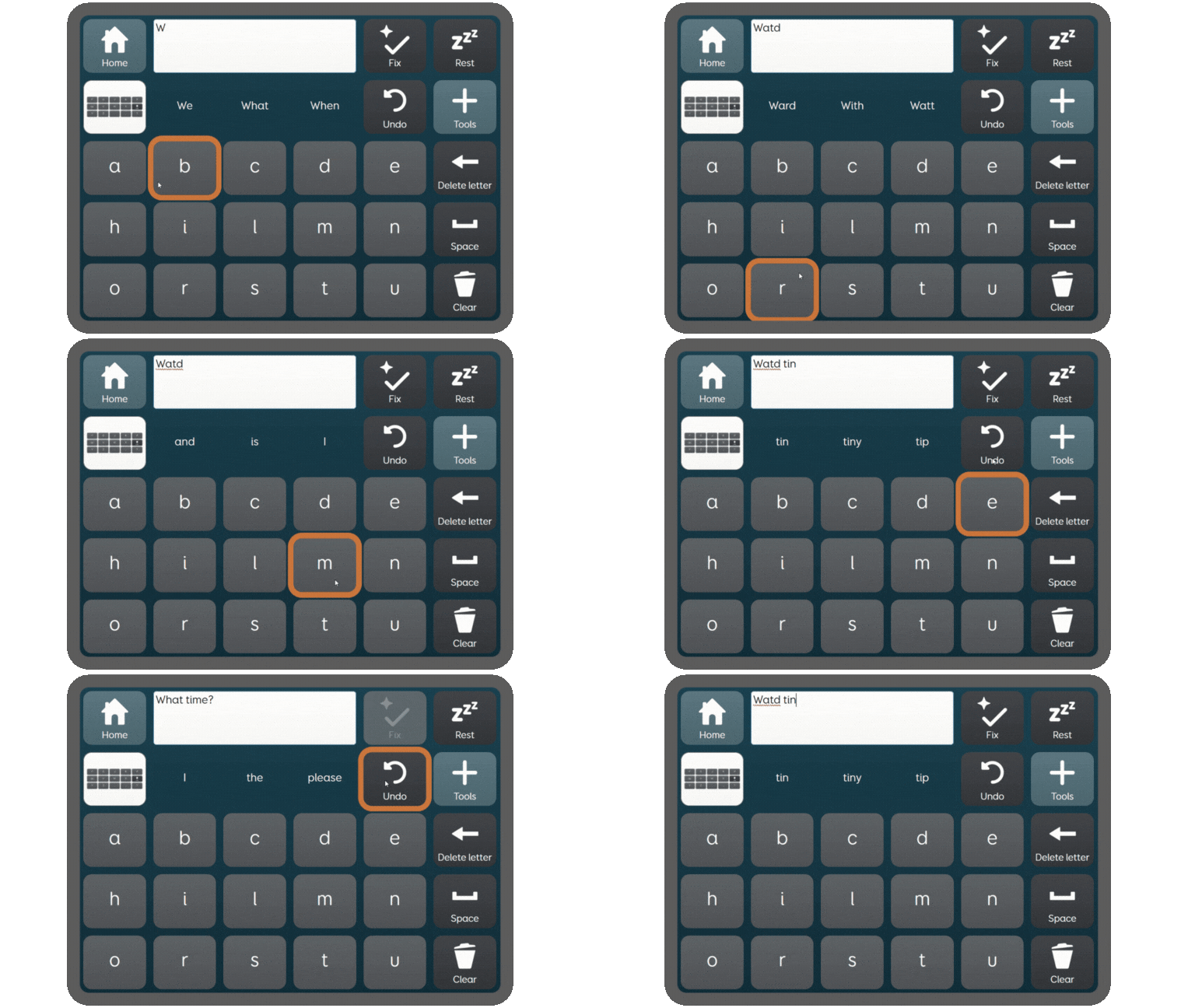
Fix is a new AI-powered feature in Grid, designed to correct spelling and grammar errors, expand common abbreviations, and fill in missing letters and spaces. Helping you to communicate in the moment, by minimising errors, reducing effort, and making text input faster. Designed for Text AAC users using any type of alternative access, the Fix cell makes typing and talking easier. Now a standard option in our Fast Talker and Text Talker grid sets. Improving the speed and quality of communication for people using Grid reduces barriers to building relationships, engaging with the world and maintaining independence. We are committed to developing tools that make communication easier, so people using AAC never have to miss the moment and can communicate in a way that is authentically them. Research conducted by Smartbox, in partnership with the ALS Association, has highlighted that a major challenge for people using text AAC is correcting typing errors. Our research found that fixing mistakes took up as much as a third of the time people spent composing their message, significantly slowing down communication. AAC users have shared with us that conversation can sometimes feel slow and effortful, making it harder to keep up with the natural flow of interactions. Users often rely heavily on pre-recorded messages and pre-written responses, but real-time conversation remains challenging. The new Fix feature helps speed up text input by removing the need for perfect typing or spelling, reducing the effort and cognitive load of constructing messages and making it easier to keep up with conversations. By making communication smoother and less stressful, this tool helps AAC users to control the conversation and share more detail without compromising on their flow. Being able to say exactly what you want, when you want, is essential for authentic communication. But many AAC users often simplify or compromise their messages, choosing what’s quicker to type rather than what they truly mean. With the Fix feature, that’s no longer necessary. There’s no need to second guess the impact of a misspelled word on pronunciation or limit creativity. Try out new vocabulary and undo if you’re not sure. Fix creates safety for exploration as well as improving speed. With less time spent on spelling and typing, you can focus on what you truly want to say. Speed up conversation by intentionally shortening long words, skipping punctuation, missing out vowels and using abbreviations like “brb” or “hru”. Fix will automatically correct and expand the sentence for you. You decide how and when to use the Fix tool. If you don’t like a correction, or if it gets something wrong, simply press ‘Undo’. Fix will stick as closely as possible to the text which you have entered. Your words are yours, Fix simply helps correct what you’ve written. The new AI Fix tool is part of a wider AI update to Grid software that also includes the new ElevenLabs voices. Learn more about both of these features in our live webinar on 25 June. What is the Fix cell? How does it work? How can I use it? Do I have to be online to use it? Why do I have to accept terms and conditions to use Fix? How will my data be handled? Is there an additional charge for using Fix? Is there a limit to how many times I can use Fix? Can Fix get it wrong? Is Fix available in all languages? Will Fix censor what I want to say? What if I don’t want to use the Fix tool? How can I provide feedback about using the Fix tool?
Stay in the flow of conversations
Express yourself fully
Say more with Fix
Type your way, Fix will handle the rest
You’re always in control

How to try Fix
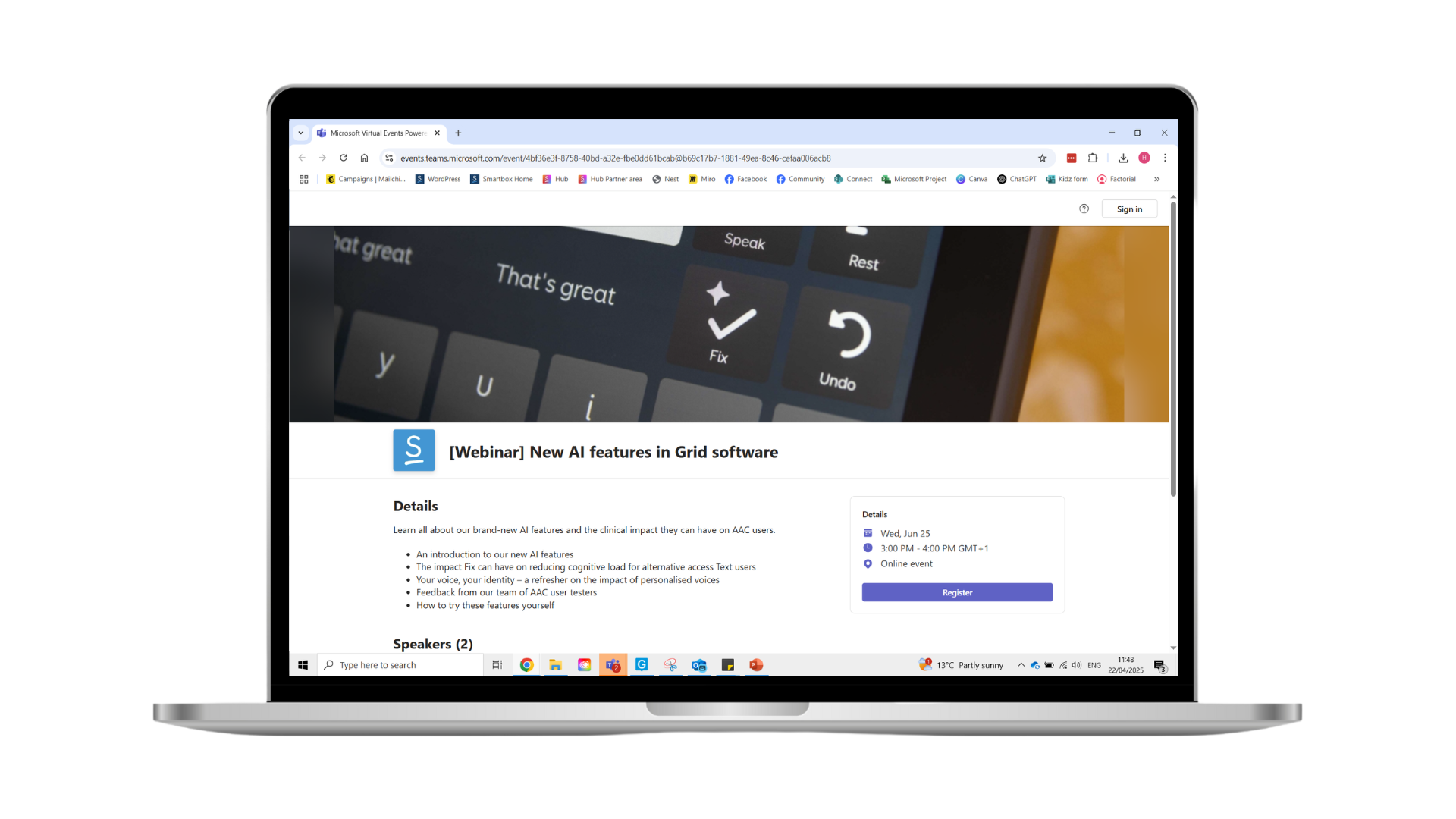
Join the AI features webinar
FAQs
A new AI powered feature in Grid that helps you correct spelling and grammar, fill in missing letters / spaces, and expand on common abbreviations like ‘tysm’ (thank you so much).
The Fix cell anonymously sends your text along with a prompt to a third party AI provider, and the corrected text then displays in your Chat Writing Area.
Make sure you are online, have the latest version of Grid and have agreed to the new terms and conditions. Once you have the Fix cell ready, you can start by typing your sentence (feel free to miss out vowels and spaces, and type less letters by abbreviating words), then select Fix. Review your sentence before speaking it. If you are unhappy with the result, select Undo.
Yes, you have to be online to use the Fix cell as the correction is processed using an online prompt.
We need your agreement for your text to be processed by a third party service (OpenAI) in order to be able to use the Fix feature.
-No personally identifiable information is sent to the third party service (other than if it is contained in the chat writing area when you use Fix).
-Your data will NOT be used to train future AI models.
-OpenAI will handle any data sent using Fix according to their data policy which can be found here insert link.
-You can also read our AI Principles where we explain in more detail how this new feature works and our commitment to ensuring your privacy and safety when using AI features in Grid.
No, Fix is a free features included in both Grid for Windows and Grid for iPad.
No, there’s no limit, you can use Fix as often as you like. To prevent accidental or repeated taps from triggering it multiple times in quick succession, we’ve added a safeguard that blocks immediate repeat selections. This won’t affect normal or frequent use of the tool.
Yes, Fix can sometimes get things wrong. Like any AI tool, it isn’t perfect. It follows the rules of spelling and grammar, but context can sometimes be nuanced.
Fix is available in English, Afrikaans, Catalan, Czech, Danish, Dutch, Flemish, French, German, Greek, Hebrew, Italian, Norwegian, Portuguese, Slovak, Spanish and Swedish.
Fix will allow you to say almost anything, however there are some very offensive words / phrases that it will refuse to correct. If you’re unhappy with a correction, simply select Undo. You can also choose not to use the Fix tool if you prefer your words exactly as you’ve written them.
You can choose not to opt in to the use of Online AI tools in Grid, and you can of course also remove the Fix cell from your grid set.
We encourage you to tell us about your experiences using the Fix tool. Please use this form to tell us what you think.