
Quickly generate messages in the moment and prepare for conversations in advance
Text Talker is more than just a text-to-speech keyboard. It combines a series of innovative features to make communication for literate AAC users intuitive.
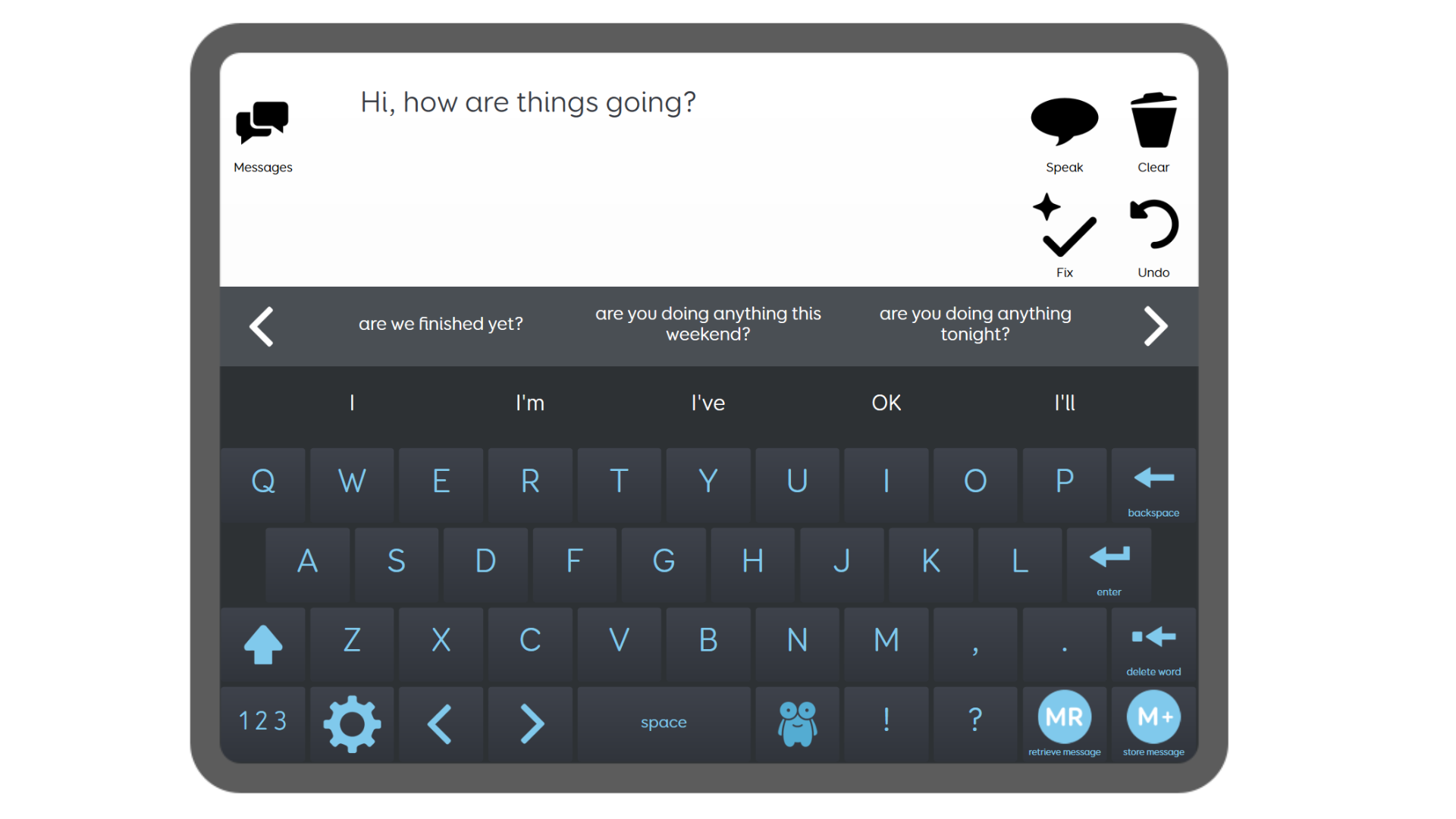
Text Talker is designed to make text communication feel natural and efficient. Optimised for iPad, this intuitive solution includes tools like SwiftKey prediction and the AI-powered Fix tool—helping you get your message across quickly and effortlessly.



Who is it for?
Text Talker is designed for people who use text AAC to help them communicate. This Grid set is ideal for people anyone using Grid for iPad or a touch-based device.
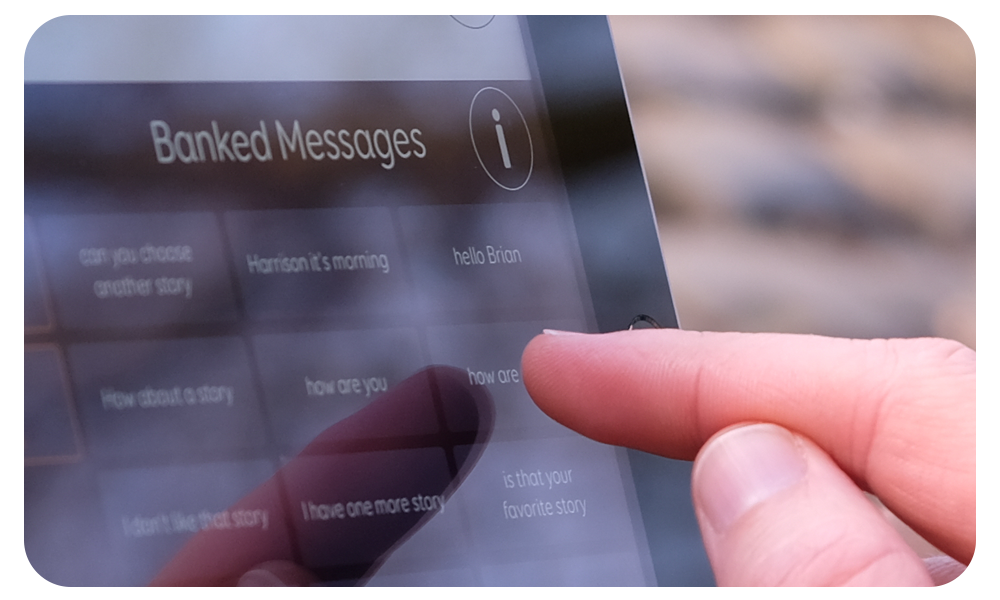
The message banking features in Text Talker make it a suitable option for anyone that would like to capture phrases with their existing speech and recall it from within the app.
Message generation
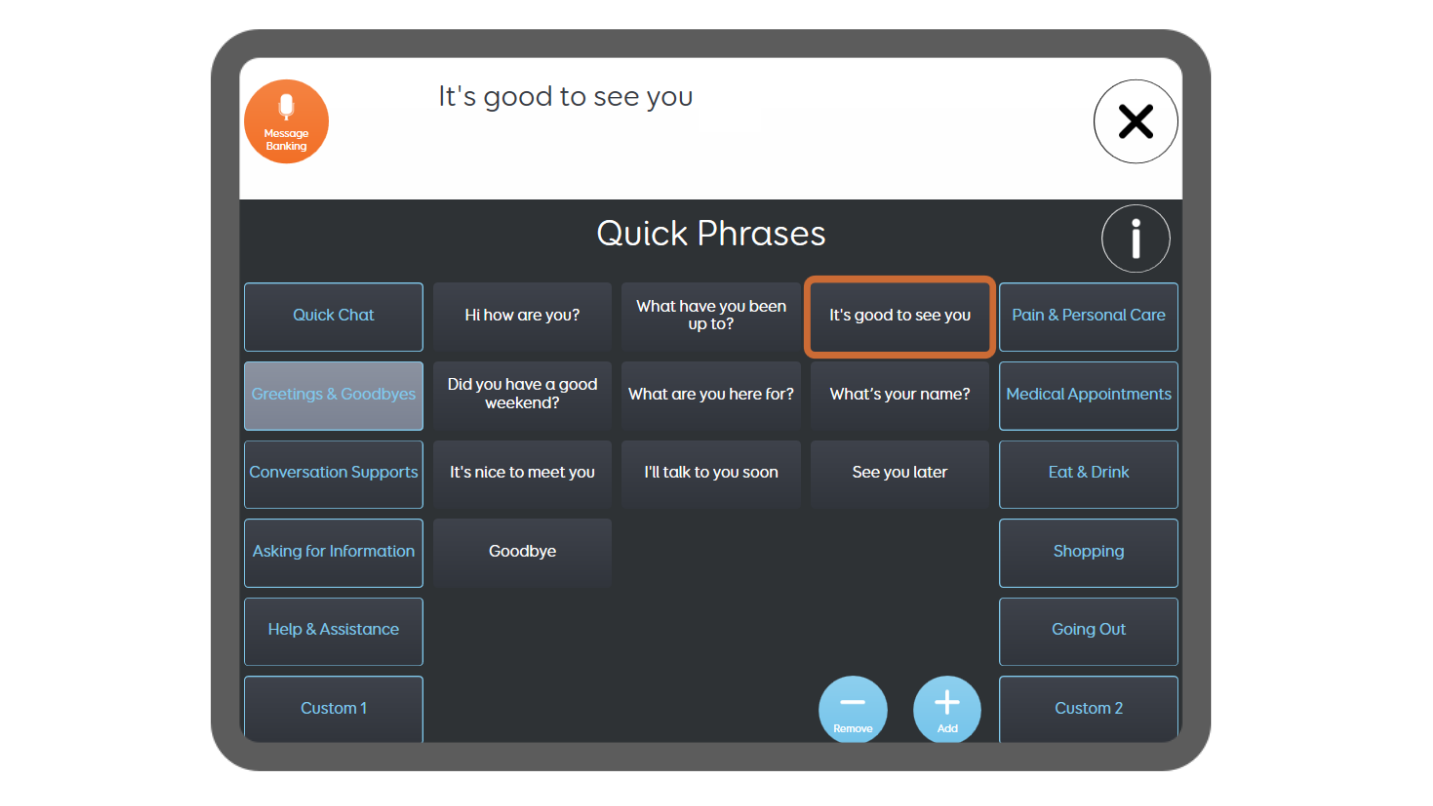
Powerful SwiftKey prediction tools help you increase your rate of communication and get your message across efficiently. Store premade phrases that you can quickly speak without typing. Use message banking to capture phrases in your voice if you have speech.
Chat history
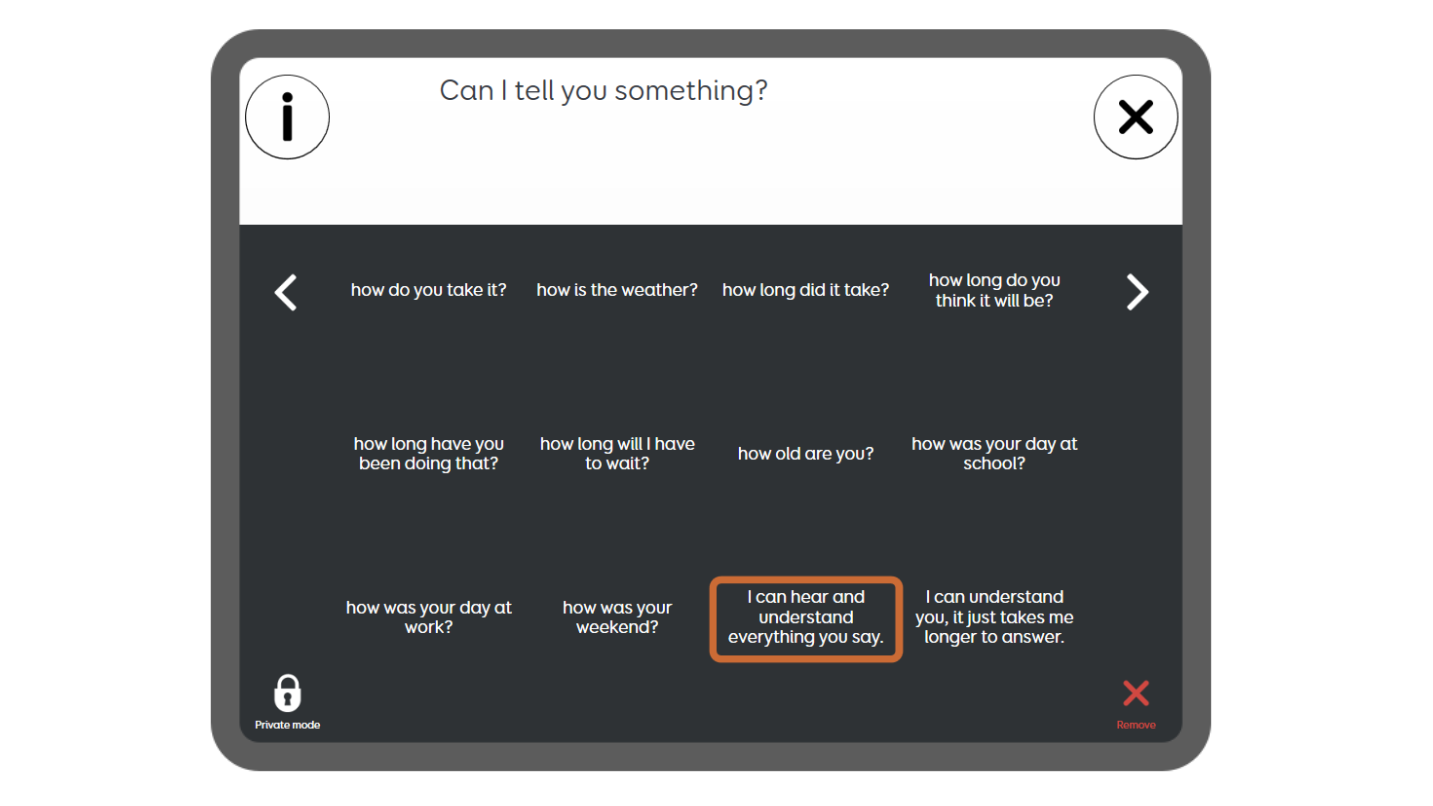
Everything you say is remembered in Text Talker and can be spoken again in just a few selections. Your chat history will suggest messages based on when and where you last said something. Just start typing the keyword in your sentence, and related messages will appear.
AI Fix tool
Designed to reduce effort, minimise errors and make typing easier, the Fix tool in Text Talker quickly corrects messages with just one click. You can use it to help with spelling and grammar errors, expand common abbreviations and fill in missing letters and spaces.

Available in Grid
Text Talker is our recommended Grid set for text communication in Grid for iPad. Try it for free with our 30-day trial of Grid for iPad, or 60-day free trial of Grid 3 (Windows). Available in over 40 languages.
Get started with Text Talker
Find everything you need to get started with Text Talker on the Smartbox Hub. Explore the Grid set manual and watch tutorial videos.
